Hey, let’s cut to the chase—if you’ve ever worked with RF gear (like cell towers, WiFi routers, or broadcast antennas), you’ve probably noticed that sometimes signals just “vanish” before they reach their destination. No, it’s not magic—it’s attenuation, and if you’re buying RF coaxial cables, this is non-negotiable to understand. I’m not here to hit you with stuffy textbook jargon; I’m a coaxial cable supplier, and I see exactly how muddled this gets for folks new to RF or even seasoned pros who just want to pick the right cable without overcomplicating it. RF Coaxial Cable
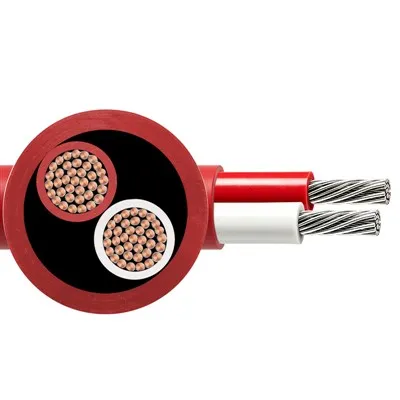
First, let’s keep it simple: attenuation is just signal loss over distance. Yeah, that’s the plain-spoken version. For RF coaxial cables, that loss isn’t the same for every frequency—super important, because if you’re running a 5G network (think mmWave, which uses crazy high frequencies), your loss will be way worse than if you’re doing a walkie-talkie link on a low VHF band. Let’s break down the two big reasons this happens, because knowing why helps you pick the right cable instead of just grabbing whatever’s cheapest.
The first big culprit is conductor loss. Coax has two metal parts, right? The inner conductor (that thin wire running down the middle) and the outer shield (the metal mesh or foil around it). Both of these don’t conduct RF electricity perfectly. Even copper, which is the best common conductor, has something called skin effect when you’re dealing with RF. Wait, what’s skin effect? Picture a crowd—when you get hyped, everyone pushes to the front. For RF signals, the electrical current doesn’t flow through the whole metal conductor; it only flows in a thin “skin” right at the surface of the inner conductor and the inner surface of the outer shield. The higher the frequency, the thinner that skin gets. So for mmWave, that skin is super tiny—so even a little bit of resistance in that thin layer adds up to way more loss than at, say, 900 MHz. That’s why a cable that works fine for a 2.4 GHz WiFi setup will suck for a 28 GHz 5G link; the conductor loss skyrockets at higher frequencies. As a supplier, I see this all the time—customers come to us saying “my 5G signal is weak” and they’re using a cheap LMR-400 cable meant for lower frequencies, not a low-loss variant made for mmWave.
The second big one is dielectric loss. Between the inner and outer conductor, there’s that plastic stuff—dielectric. It’s not just there to keep the inner wire centered; it’s also part of the signal path. RF signals pass through the dielectric, and every time they do, a tiny bit of energy gets turned into heat. Again, frequency is the villain here—higher frequencies mean the signal’s electric field switches back and forth faster, so the dielectric can’t keep up, and more energy is lost as heat. What kind of dielectric matters here? If you have a solid polyethylene (PE) dielectric, that’s basic, cheaper, has a bit more loss. If you use foamed PE (air bubbles inside the plastic), that cuts loss because air has way lower loss than plastic. Even fancier stuff like PTFE (Teflon) is used for super high frequencies, since it has way less dielectric loss at mmWave bands. I always tell customers: if you’re running a cable long distance at high freq, splurge on foamed or PTFE dielectric, not the solid PE junk.
Wait, there’s also another thing that causes extra attenuation, right? Not the cable itself, but how you install it. Bending a coax too tight—like, way under the minimum bend radius listed on the spec sheet—crushes the dielectric and messes up the conductor shape. That creates “micro-currents” and extra signal loss. Also, bad connections: if you don’t crimp the connector right, or leave gaps in the outer shield, you get reflections that add to the total loss. I’ve had a customer bring a cable back that “lost half the signal” and it turned out they bent it around a sharp corner with a 1-inch radius—their cable’s min bend radius was 4 inches. Fixing that cut their loss by 60% without even replacing the cable. So attenuation isn’t just about the cable’s inherent spec; installation kills it too.
Now, let’s talk about how attenuation is measured, because cable specs are all in numbers. The standard unit is decibels per 100 meters (dB/100m) or sometimes decibels per foot (dB/ft) for shorter runs. The lower that number, the less loss you get. For example, a basic LMR-400 might have a loss of ~6.5 dB at 2.4 GHz and ~15 dB at 10 GHz. A low-loss variant like LMR-400 Ultra Low Loss (ULL) would be like ~5.5 dB at 2.4 GHz and ~12 dB at 10 GHz. That might not sound like a big difference, but let’s do the math: if you’re running a 100-meter cable at 10 GHz, the basic one loses 15 dB, the ULL loses 12 dB. Why does that matter? A 3 dB loss is half your signal power—so that ULL cable lets you keep twice the signal at the end. For a cell tower, that means you need less power from the antenna, or you can cover a wider area. For IoT sensors in a factory, that means your sensor stays connected instead of dropping data because the signal is too weak.
Here’s the part that most people get wrong: you can’t just use the same attenuation spec for every frequency. Let’s take an example: a customer building a 5G small cell at 28 GHz came to me last year. They picked a cheap LMR-200 cable because it’s thin and easy to run. I told them, “Wait, LMR-200 at 28 GHz has ~30 dB per 100m— that’s almost all your signal gone.” They argued “it’s low loss, right?” No, low loss is relative to its frequency range. LMR-200 is for lower frequencies; at mmWave, even a smaller diameter cable has higher attenuation because of skin effect and dielectric loss at those high freqs. We switched them to an LMR-400 ULL, which was thicker, but only had ~18 dB per 100m at 28 GHz—half the loss. They saved their project from being a total flop, and they’ve been a repeat customer ever since. That’s the kind of call I make as a supplier—don’t just go by the “low loss” label; check the frequency point you’re using.
Also, attenuation isn’t all bad. Wait, hear me out—sometimes you need a little attenuation. Like, if you’re testing RF gear, or tuning a system to avoid signal overload. But that’s using attenuators, which are different from the transmission cable we’re talking about. The attenuation in the coaxial transmission cable is what you want to minimize, not control, for most applications.
Now, let’s clear up a myth: thicker cables don’t always mean less attenuation. Wait, that sounds counterintuitive, right? But it’s about matching frequency. A super thick LMR-600 has lower loss at high frequencies than a thin LMR-200, yes. But if you’re running a 900 MHz walkie-talkie setup, a thin LMR-195 cable has barely any more loss than LMR-400, and it’s way easier to route through tight spaces, like walls or office ceilings. So it’s a trade-off: thicker = less loss for high freq, thicker = stiffer, harder to install, more expensive. Thinner = easier to run, cheaper, but more loss at high freq. That’s where I come in— I ask customers questions: What frequency are you running? How long is the cable run? Where is it going (sharp bends, tight spaces, outdoor weather)? Then I match them to the right cable, not just the priciest or cheapest.
Wait, outdoor vs indoor—does that affect attenuation? Not directly, but the cable’s build does. Outdoor cables have weatherproof jackets (like LSZH or UV-resistant PE) that don’t change the inherent loss, but they do mean the cable doesn’t get damaged, which would add extra loss from dents or cracked shields. Indoor cables can use lighter jackets, which is fine, but don’t use indoor cables outside—rain and sun will ruin them, and then your loss will spike. I see that mistake all the time too.
Let’s circle back to why this is critical for you, the person buying RF coax. If you ignore attenuation, you end up with:
- WiFi that cuts out when you walk to the other end of the office
- 5G small cells that can’t reach enough users
- Broadcast signals that are too weak for your audience
- IoT sensors that drop data mid-shift
It’s not a small problem. I once had a customer who installed a whole outdoor WiFi network for a warehouse, used cheap cables, and a month later, 70% of their forklift scanners were offline. Fixing it meant replacing every cable, which cost twice as much as getting the right ones upfront. That’s the biggest mistake people make: cutting corners on cable cost to save money, then paying way more later when their system doesn’t work.
So, to wrap this up (no fancy jargon, promise), attenuation of RF coaxial cable is just signal loss over distance, caused by two main things: how the metal conductors carry RF (skin effect, resistance) and how the dielectric in the cable absorbs energy (dielectric loss). It varies with frequency—higher freq = way more loss—plus installation mistakes (sharp bends, bad connections) add extra. The spec is dB per length, lower = less loss, but you have to pick a cable matched to your frequency and run length, not just grab any cable with a low number.
If you’re scratching your head trying to figure out which cable is right for your project, I’m here to help. No pushy sales pitches, no confusing tech sheets dumped on you—just straight answers. Tell me your application, frequency, run length, install environment, and I’ll hook you up with a cable that minimizes attenuation without wasting your money on overkill. Let’s chat and get your system running strong, no signal gaps, no wasted cash.
Power Cable Low Voltage References
Pozar, D. M. (2012). Microwave Engineering (4th ed.). John Wiley & Sons.
Lauer, R. (2006). RF Coaxial Cable Attenuation: Fundamentals and Practical Considerations. IEEE Transactions on Electromagnetic Compatibility.
Times Microwave Systems. (2021). Coaxial Cable Specification Guide. Available through industry technical archives.
Yangzhou Huayu Cable Co., Ltd.
Yangzhou Huayu Cable Co., Ltd. is one of the most professional rf coaxial cable manufacturers and suppliers in China, also supports customized service with low price. Please feel free to wholesale advanced rf coaxial cable made in China here from our factory. Contact us for pricelist.
Address: No. 9 Jingang Road, Yangzhou City, Jiangsu Province, China
E-mail: huayucableco@126.com
WebSite: https://www.huayucabletech.com/
